AI AGENTS FOR BUSINESSES IN MEXICO
Give your team time back
Noción brings AI agents to people and businesses in Mexico: digital teammates that analyze information, use your systems and do the repetitive work, under your approval rules.
Request a free trial See the example workflow
30-day free trial. No payment or credit card.

Each Enmo is configured around your systems, the actions it may take and your approval rules.

SAMPLE DATA Real Noción screenshot (Spanish interface), from an accounting example. Rafa, the reconciliation Enmo, delivered a sample reconciliation and is waiting for your decision.
Enlarge the Reviews screenshot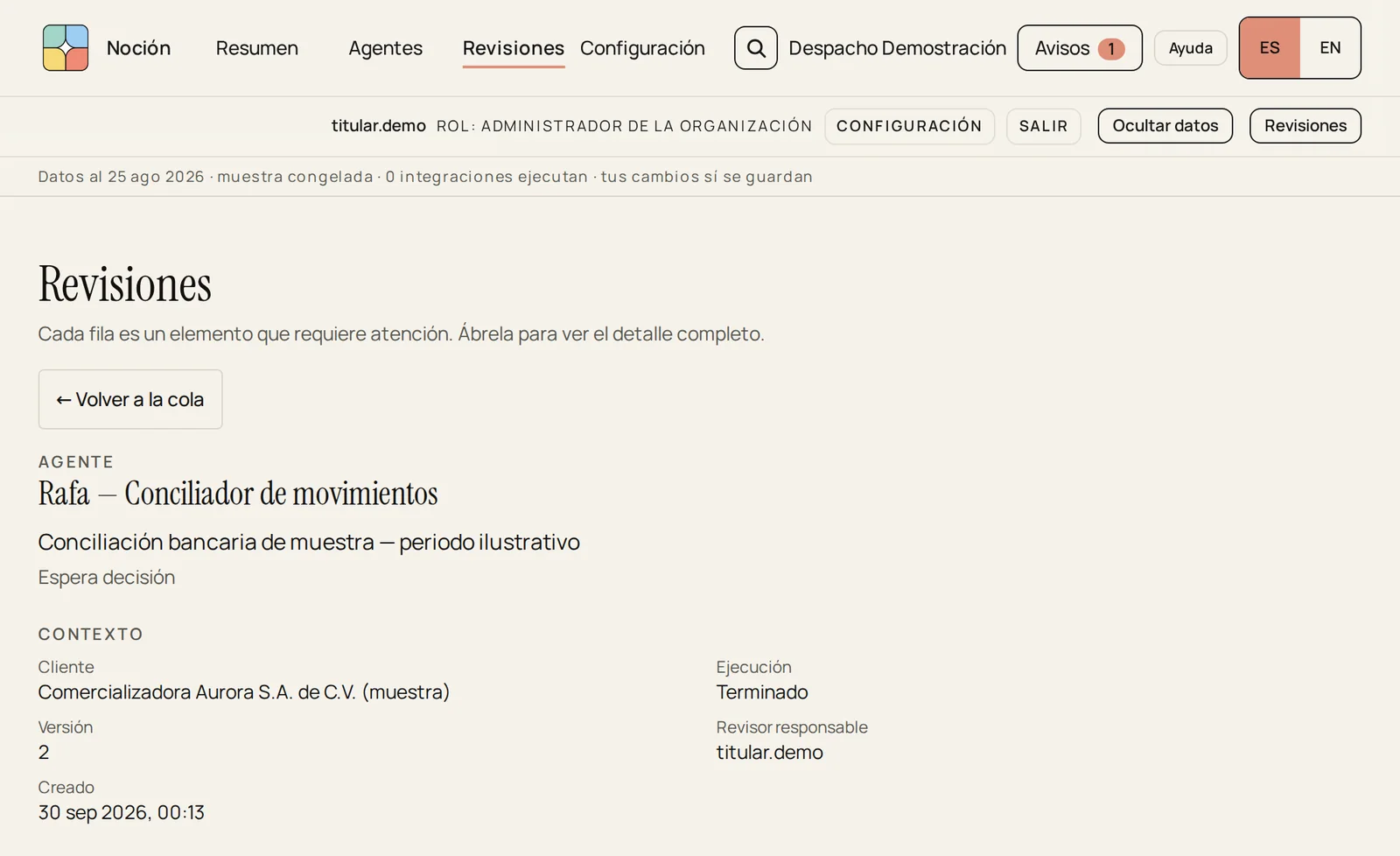
- 01The Enmo prepares
Organizes information and prepares documents, reports and deliverables.
- 02Your team reviews
Reviews the result in context and decides.
- 03Everything is recorded
The work and the decisions are recorded.
01 / HOW IT WORKS
From the file to finished work
A clear workflow, under your rules. We show it with an accounting example.
- 01Work arrivesYou share the information and the Enmo prepares the agreed result.
- 02You review and decideIt is reviewed under your rules: you approve, reject or request changes.
- 03It is recordedYou receive the result. The work and the decisions are recorded.
Automatic approval is also an option where it is configured.
EXAMPLE WORKFLOW Read-only walkthrough of an accounting example: real Noción screenshots (Spanish interface) with sample data.
Step 1 of 3: Work arrives
Awaiting decision Version 2 · 1 attached file

What arrives. The sample reconciliation reaches Reviews with the Enmo that prepared it, its context and the reconciliation file.
Enlarge the step 1 screenshot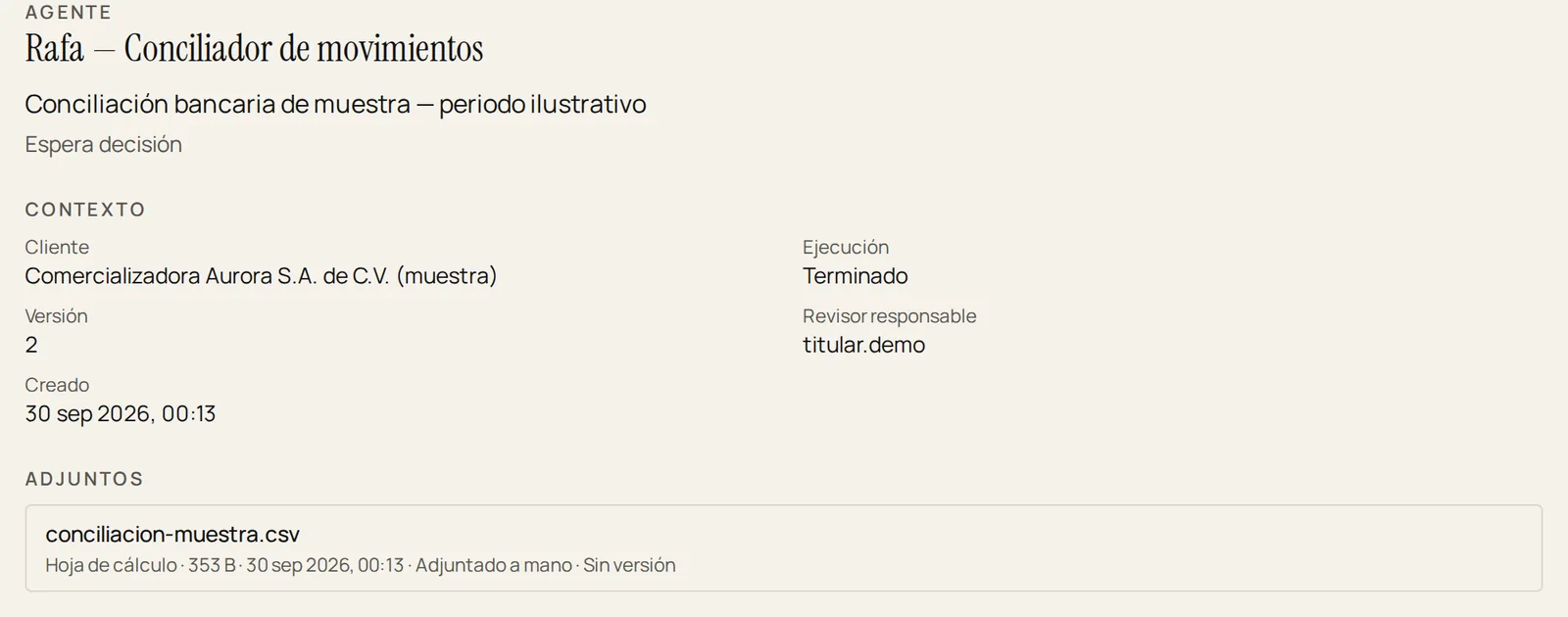
Human decision Approve · Reject · Request changes

You decide. Approving records the decision at once; rejecting or requesting changes asks for a reason.
Enlarge the step 2 screenshot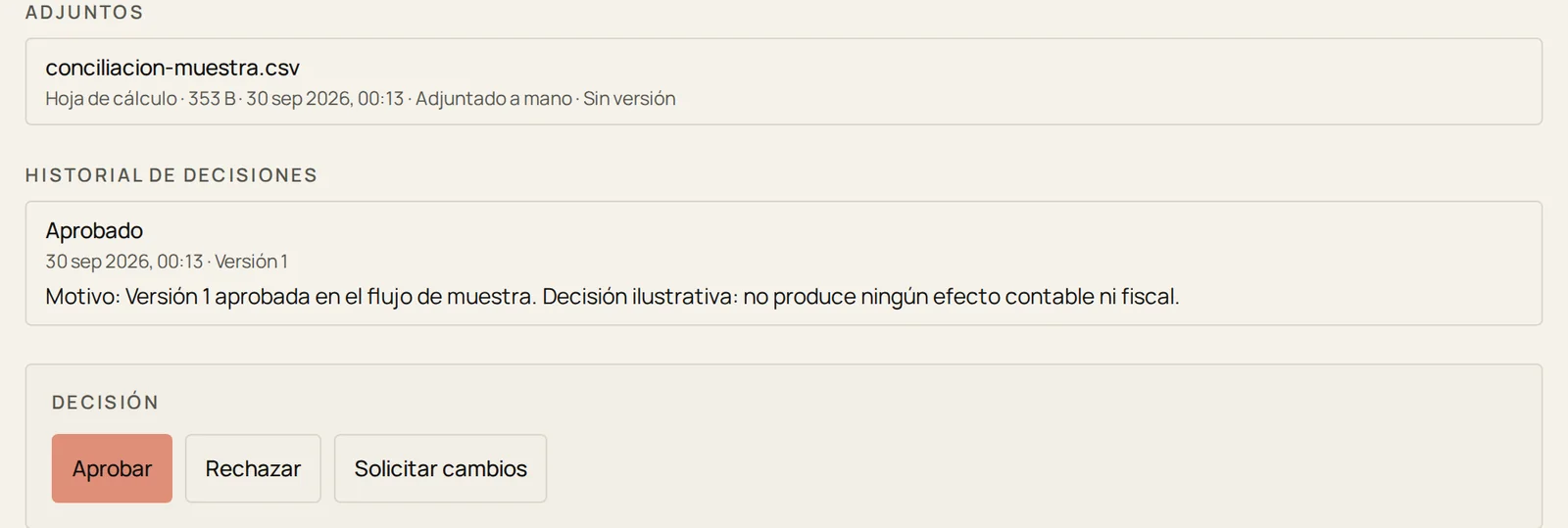
Approved Saved and visible after reloading

What remains. After approving and reloading, the item shows as approved and the history keeps every decided version, with its date.
Enlarge the step 3 screenshot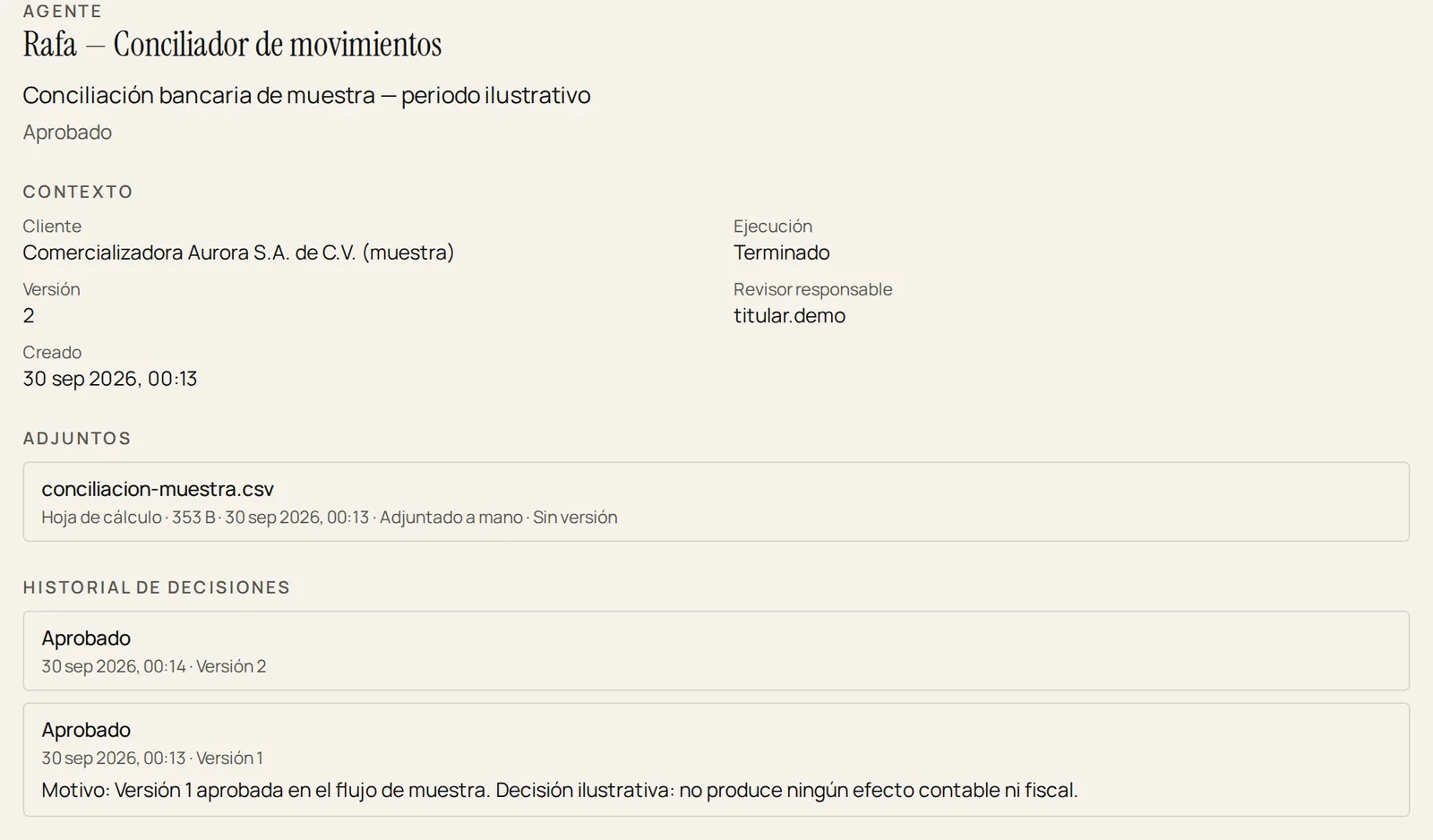
02 / ENMOS
Meet Enmo, your digital teammate
Noción builds Enmos around your team's work. They analyze information, prepare deliverables and coordinate tasks across the tools you already use.
-
01Prepares the work
Organizes information and prepares documents, reports and deliverables.
- IN
- Documents, data and requests you share.
- OUT
- Deliverables ready for review.
- DECIDES
- Your team, before the work is accepted.
-
02Reviews and compares
Compares records and flags differences that need attention.
- IN
- Records from two sources that should match.
- OUT
- Flagged differences, with their evidence.
- DECIDES
- A person, on each difference.
-
03Follows up
Organizes pending documents, requests and deadlines.
- IN
- Pending items, requests and deadlines.
- OUT
- Organized tasks and reminders.
- DECIDES
- Your approval rules, on every submission.
-

Each Enmo is configured around your systems, the actions it may take and your approval rules.
ILLUSTRATIVE These are examples of work. What each Enmo connects to is agreed with you, tool by tool.
- ACCOUNTING EXAMPLE · 01Citlali: supporting dossiers
Prepares each task's supporting dossier and flags missing documents.
- ACCOUNTING EXAMPLE · 02Ulises: received CFDI
Reviews the CFDI e-invoices received and separates those with validation issues.
- ACCOUNTING EXAMPLE · 03Rafa: bank reconciliation
Reconciles the bank statement's movements and leaves the reconciliation ready for review.
- ACCOUNTING EXAMPLE · 04Dante: journal entries
Proposes each task's journal entries for your approval and shows whether they balance with their source movements.
03 / IN THE PRODUCT
Work moves forward. You stay in control.
See your Enmos' status, finished work and the reviews that need a decision, from a single control center.

Decide with a reason. To reject or request changes, Noción asks for the reason; nothing is recorded until you confirm.
Enlarge the request-changes screenshot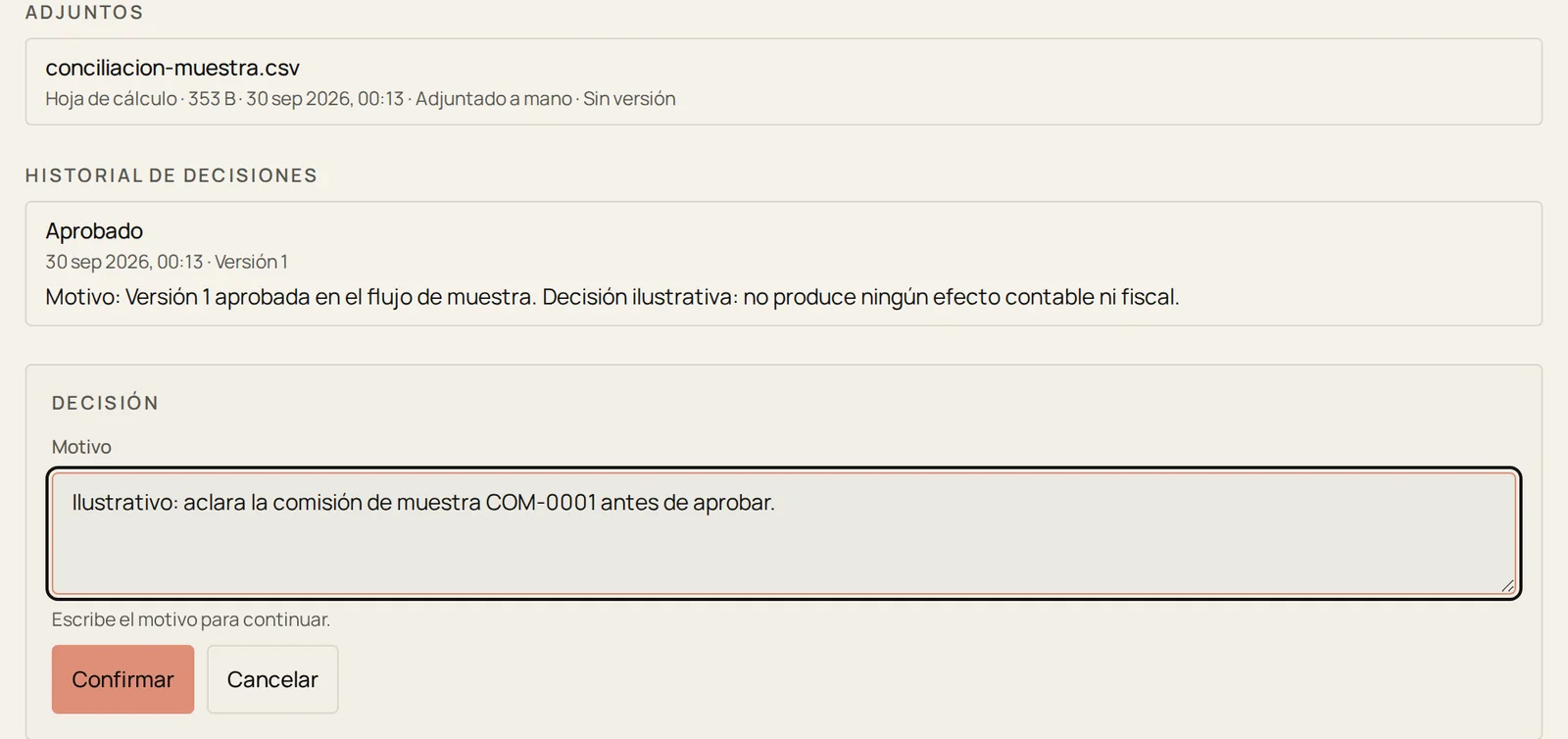

Verify. In the Enmo's history: finished task, approved review, version and reviewer.
- Review in context. See the files, the result and the Enmo's explanation.
- Request changes. Ask for information, adjust the result or send the work back.
- Measure the time recovered. Compare the time the work used to take with the time you spend now, review and corrections included.
04 / YOUR CONTROL
Your tools. Your data. Your rules.
We connect your systems through an API, file exchange or authorized access, depending on what each tool allows.

Access per person and per Enmo. Here, whoever prepares can view and run Rafa's work; reviewing and approving stay in other hands.
Enlarge the permissions screenshot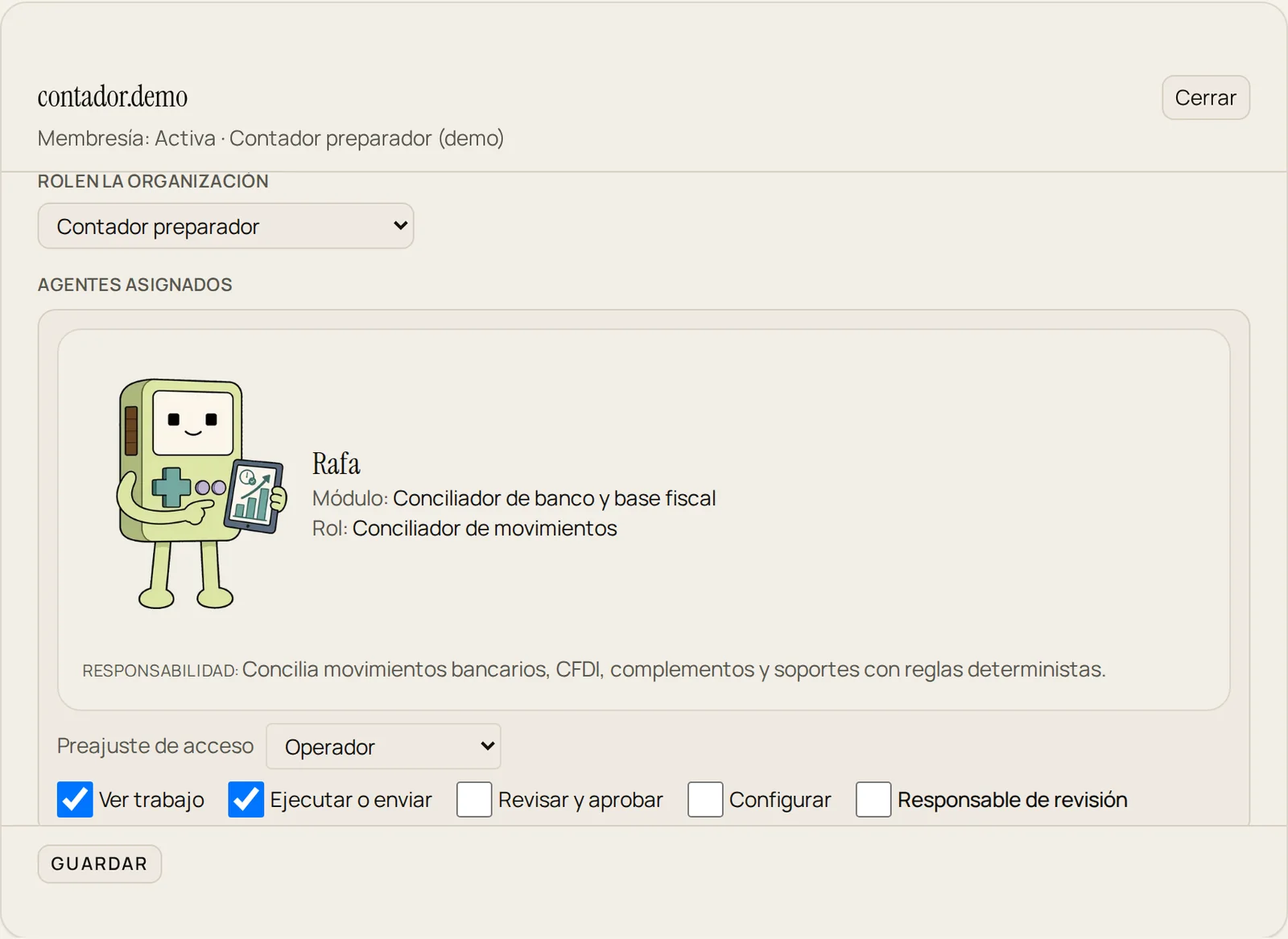
EXPLANATORY DIAGRAM
- A request arrives An Enmo delivers a result or proposes an action.
- The permission is checked Each person's role and access define what they can view, run or approve.
- An authorized person decides Only someone with permission to approve records the decision.
- ACCESSAccess by responsibility.
Define who can view, prepare, approve and administer.
- APPROVALA person decides.
Rejecting or requesting changes requires a reason.
- RECORDAgreed retention.
Every decision keeps its date and version. Choose what information is kept and for how long.
- OPERATIONControls for your operation.
We agree on access, encryption and data-location requirements, and verify them before launch.
05 / FREE TRIAL
It all starts with one workflow
Tell us which task takes too much of your team's time, and introduce us to the person who knows the process.
You only pay for successful results
Before we start, we agree on what the Enmo must complete, how the result will be verified and how much it will cost.
The price depends on the Enmo, the task and the workload.
Pending items, failures, duplicates and retries are not charged.
We build and implement your Enmo. A Noción engineer learns the process, connects the tools, runs the tests and supports your team. You provide authorized access and your feedback.
Try an Enmo free for 30 days
CURRENT PILOT · ACCOUNTING We are inviting five accounting firms in Latin America to take part in the pilot.
No payment. No credit card. You continue on a paid plan only if you decide to.
The trial starts when the agreed setup is ready. The period can be extended by agreement.
Request a pilot
The button opens your email with a prefilled request. Setup is assisted: we reply to agree on it, and a Noción engineer prepares it with you.
Tell us about your process by email: admin@nocion.so